1.4 KiB
1.4 KiB
Bot Setup
1) Fluxer Bot
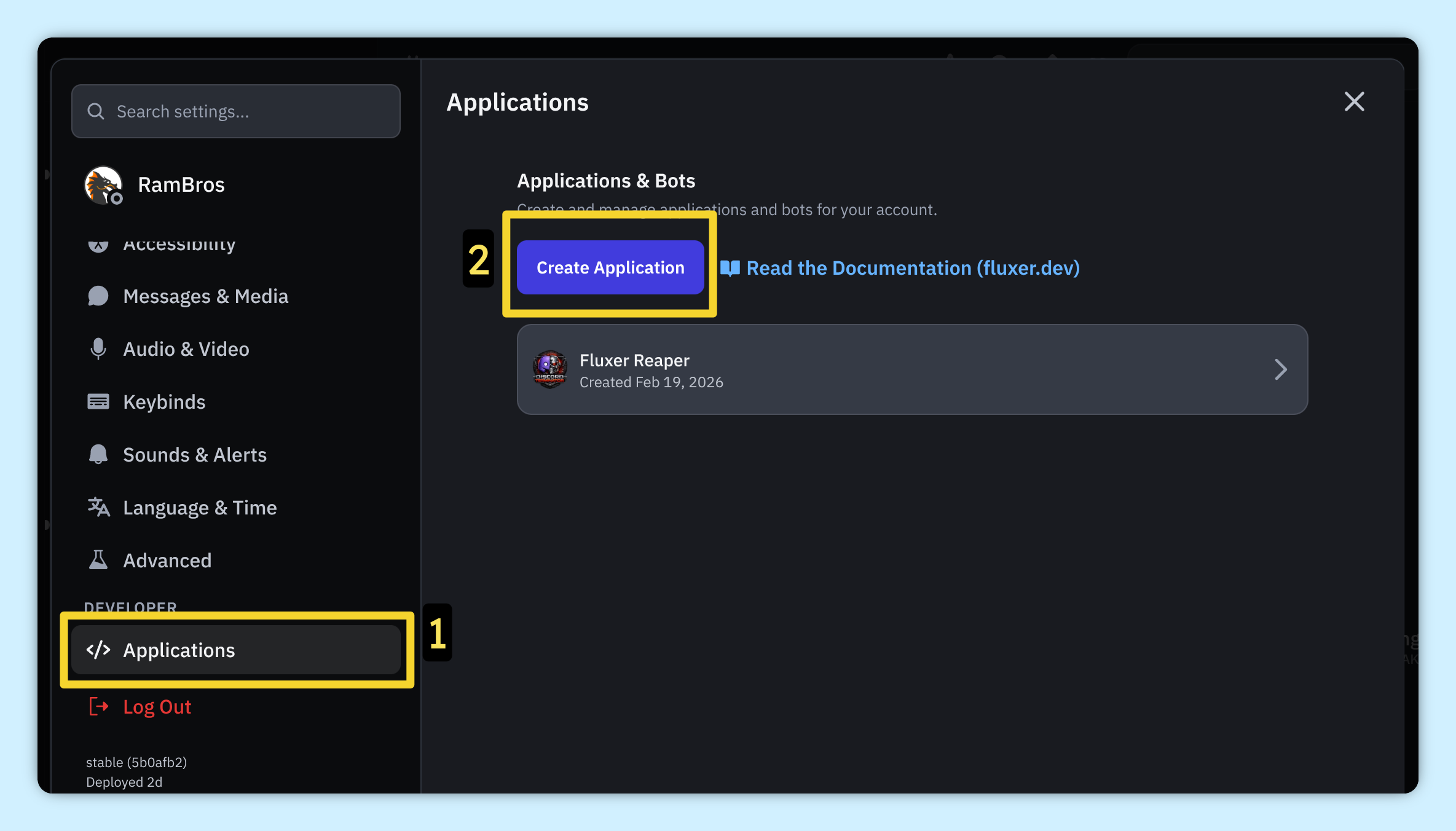
Go to your user settings in Fluxer (Ctrl + ,) and Create Application
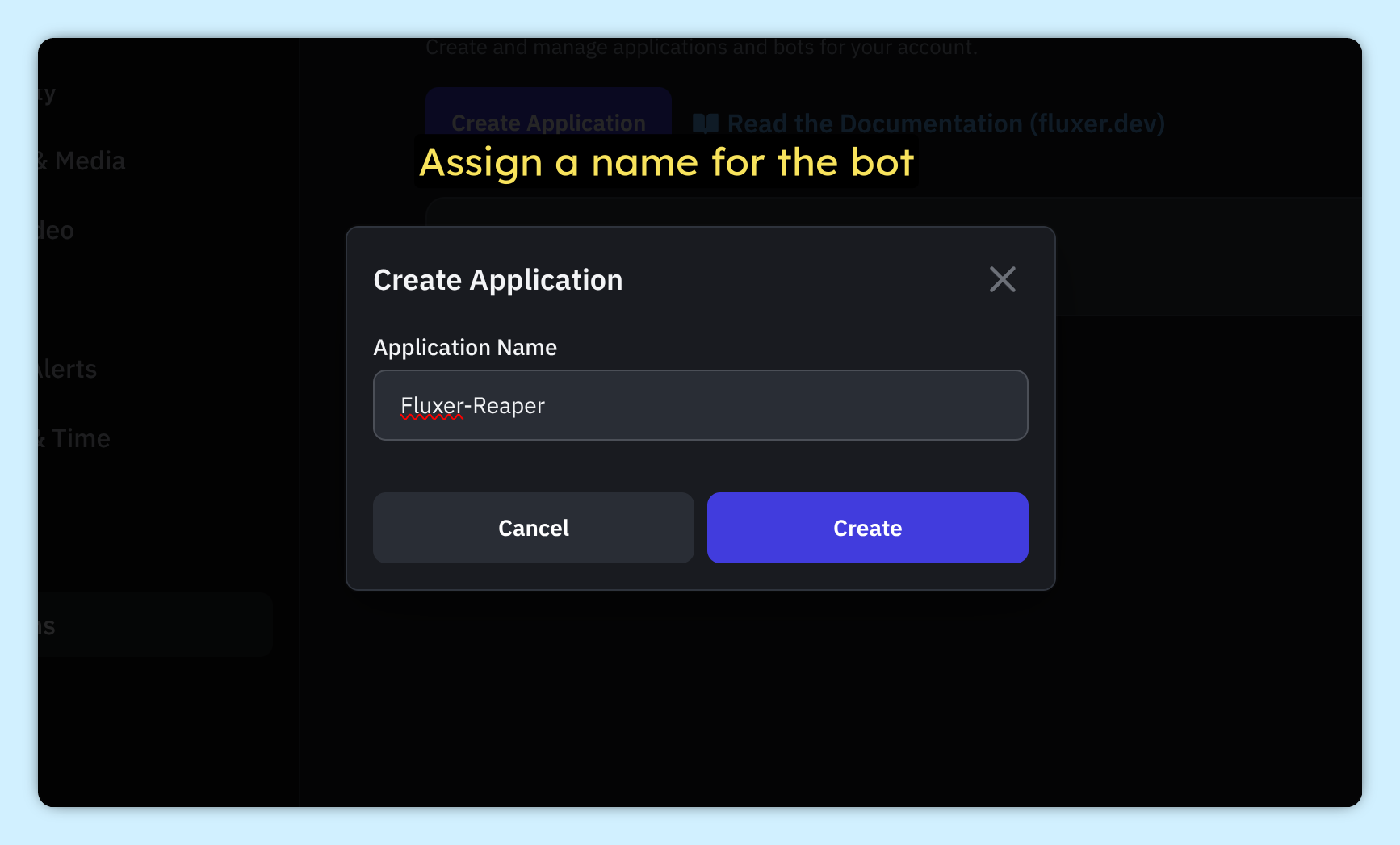
Name your bot
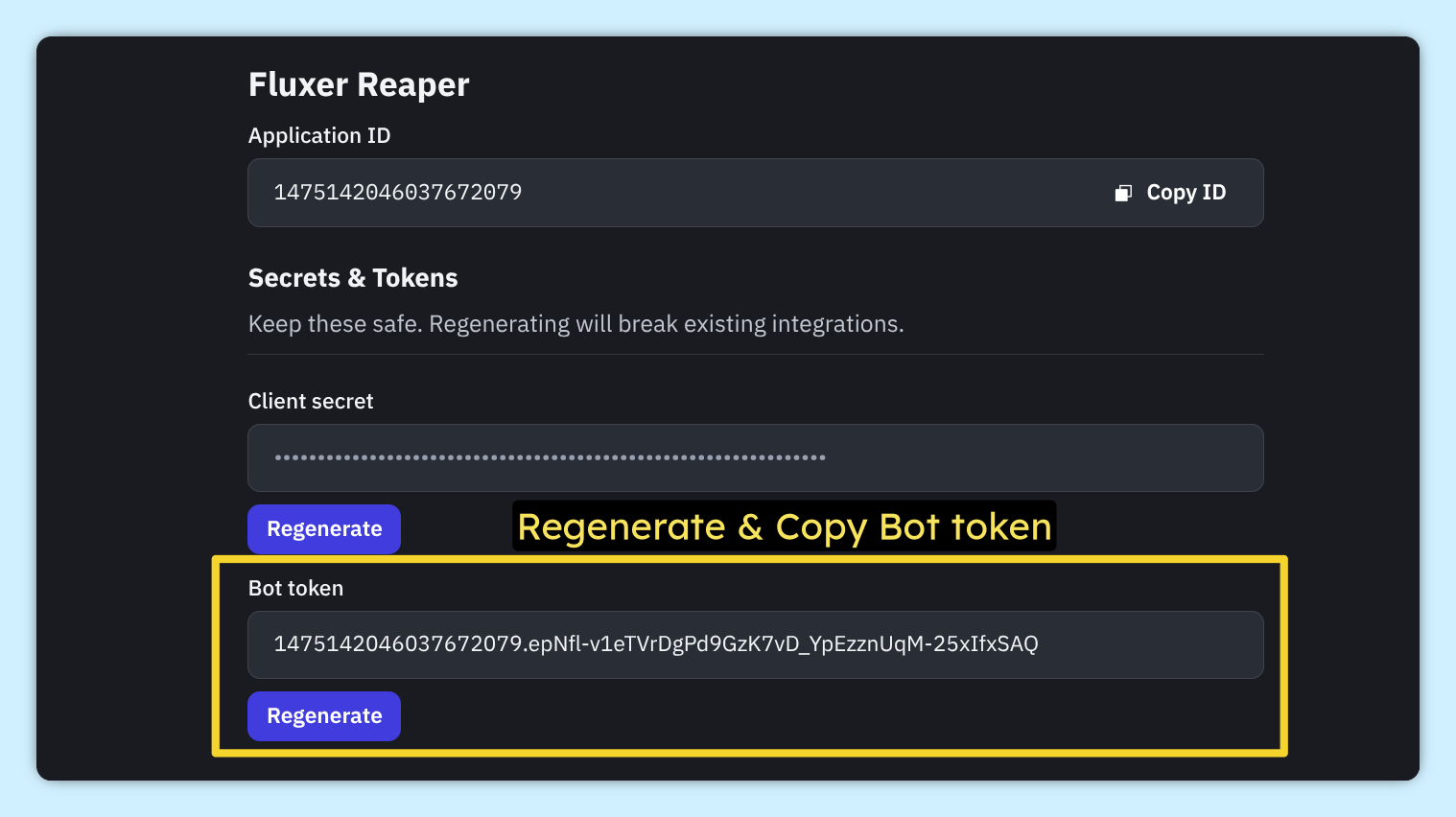
Regenerate & copy the Bot Token. Save it somewhere safe, you will need it later for the tool
Scroll down to Scopes and select bot. Enable Administrator under Bot Permissions
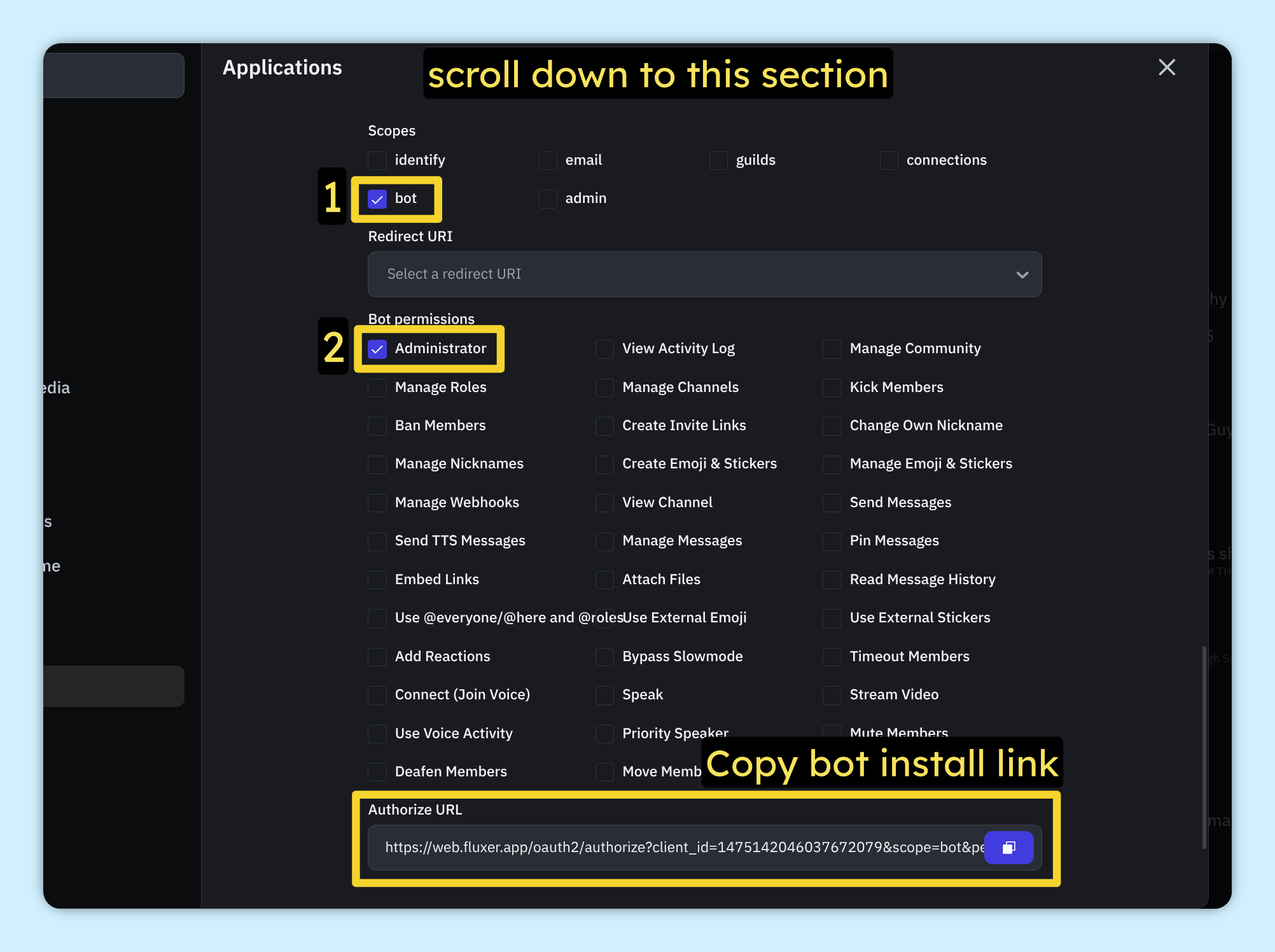
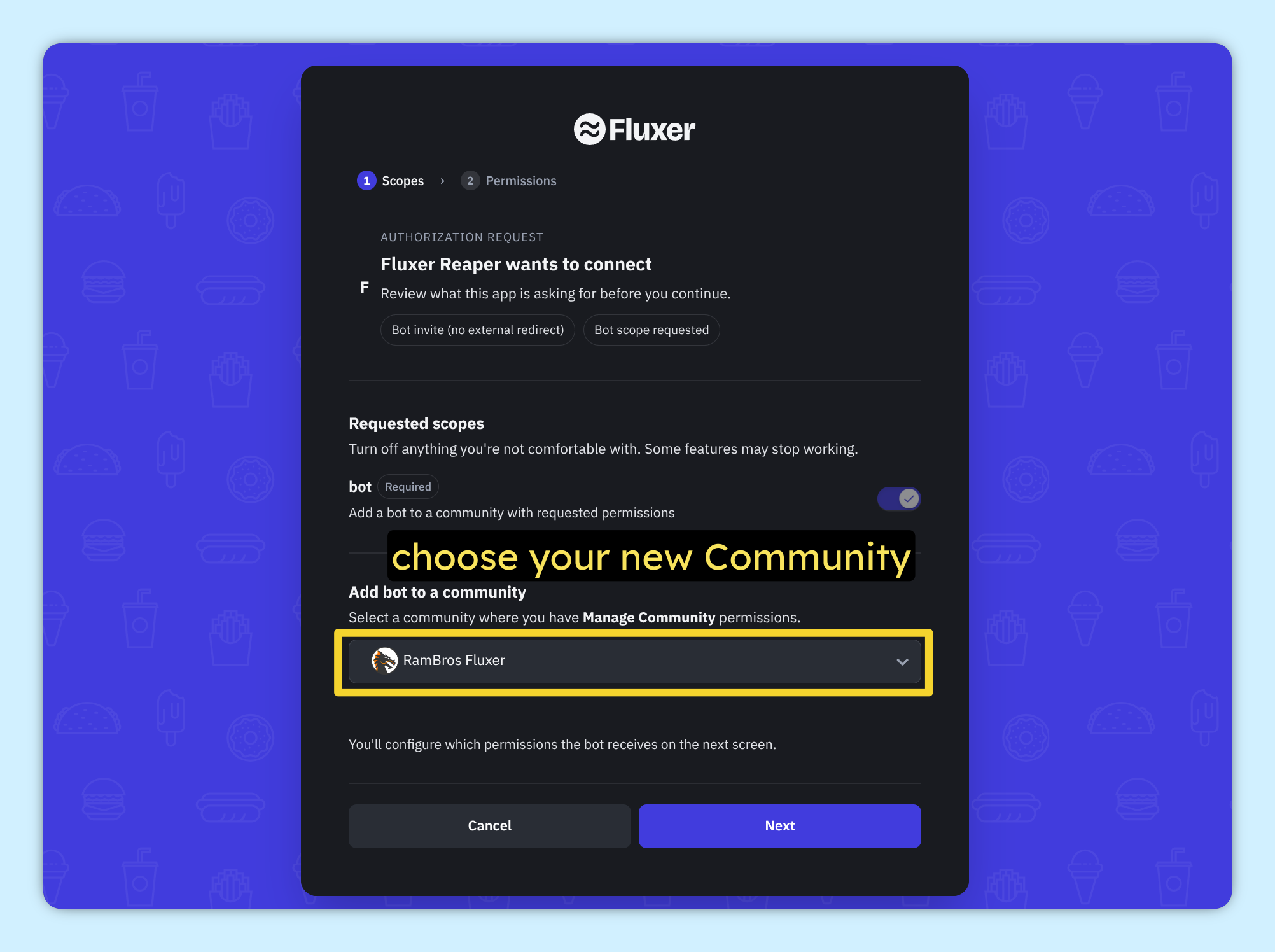
Choose your Fluxer Community (Preferably create and use a new one)
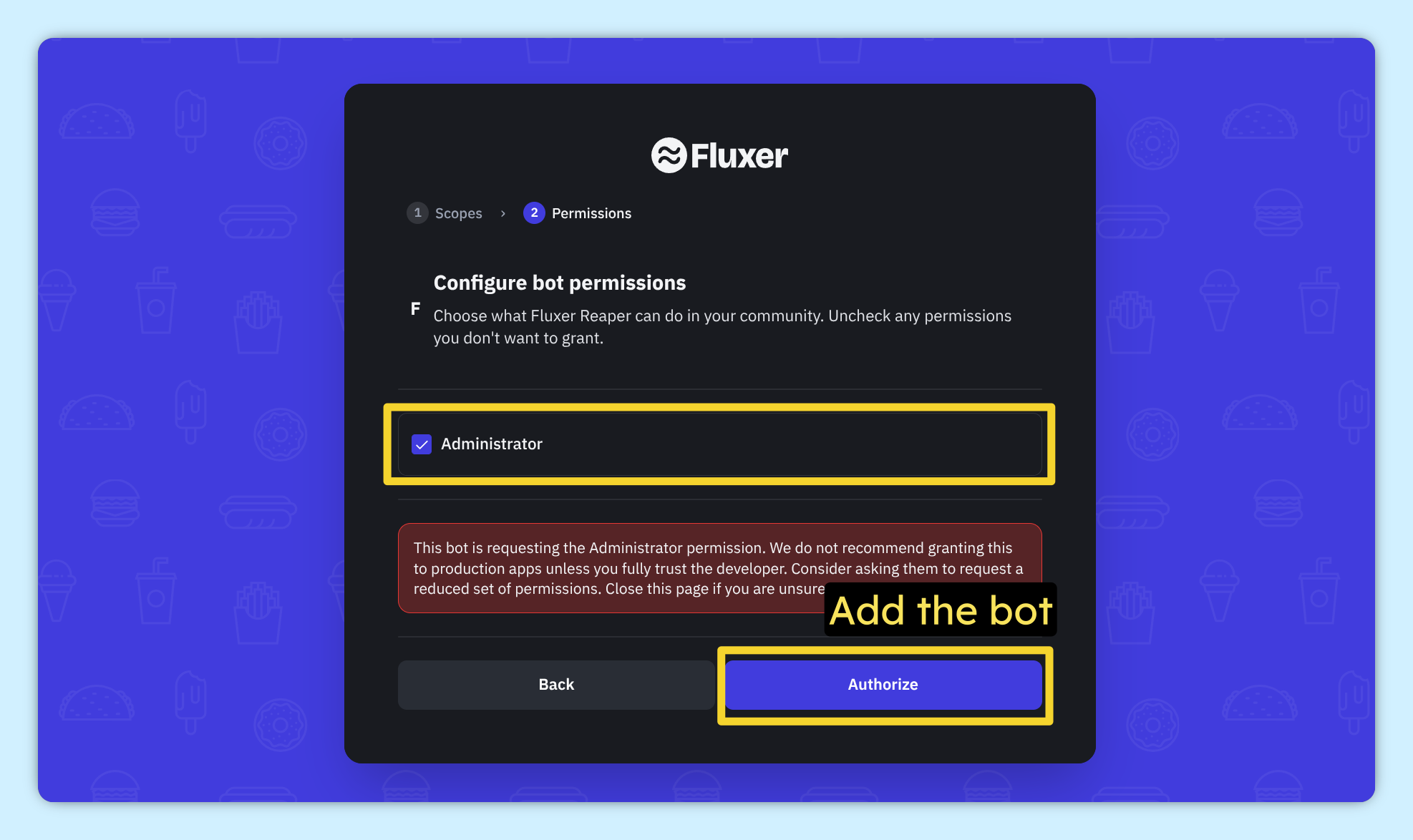
Authorize & Add the bot to your community
2) Discord Bot
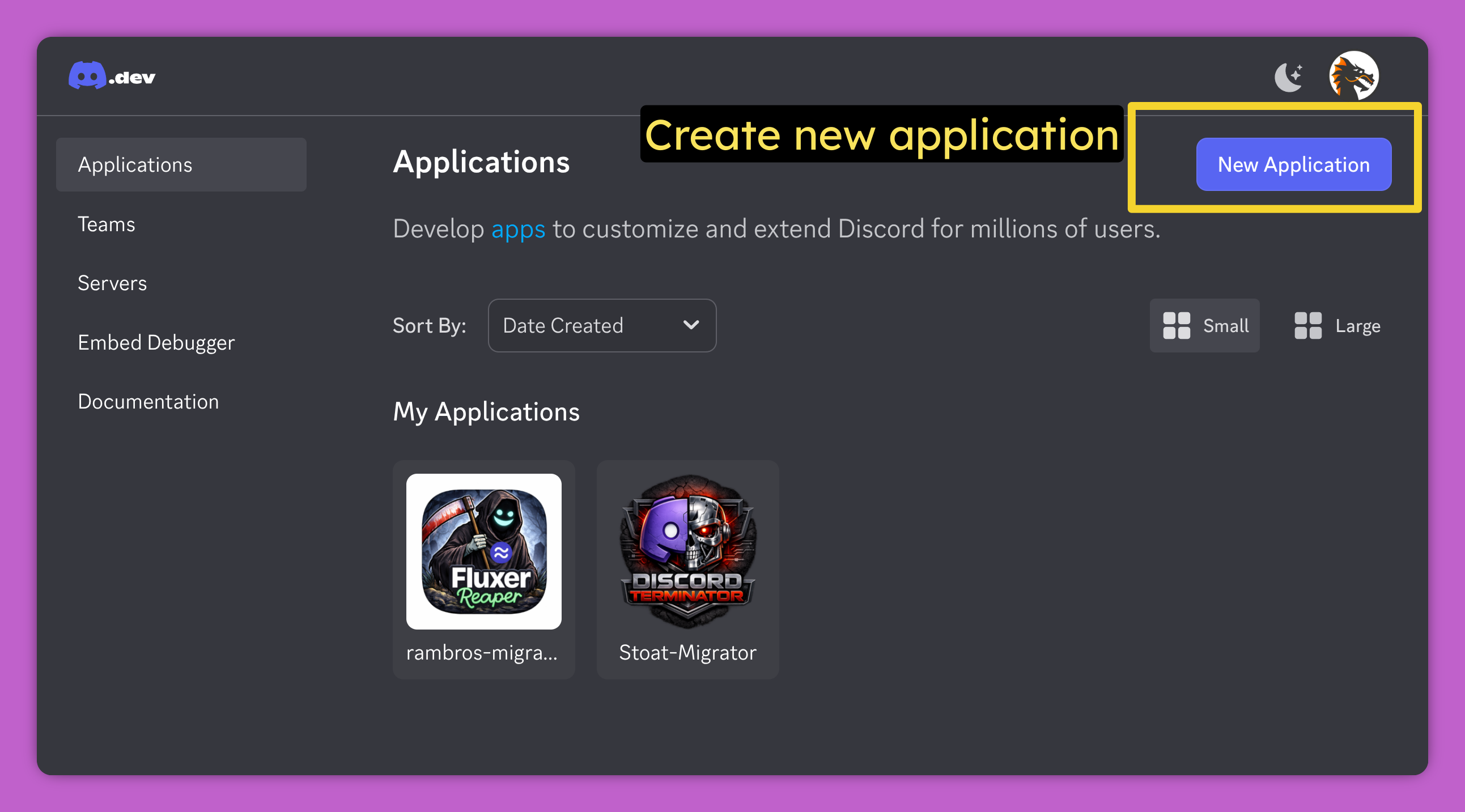
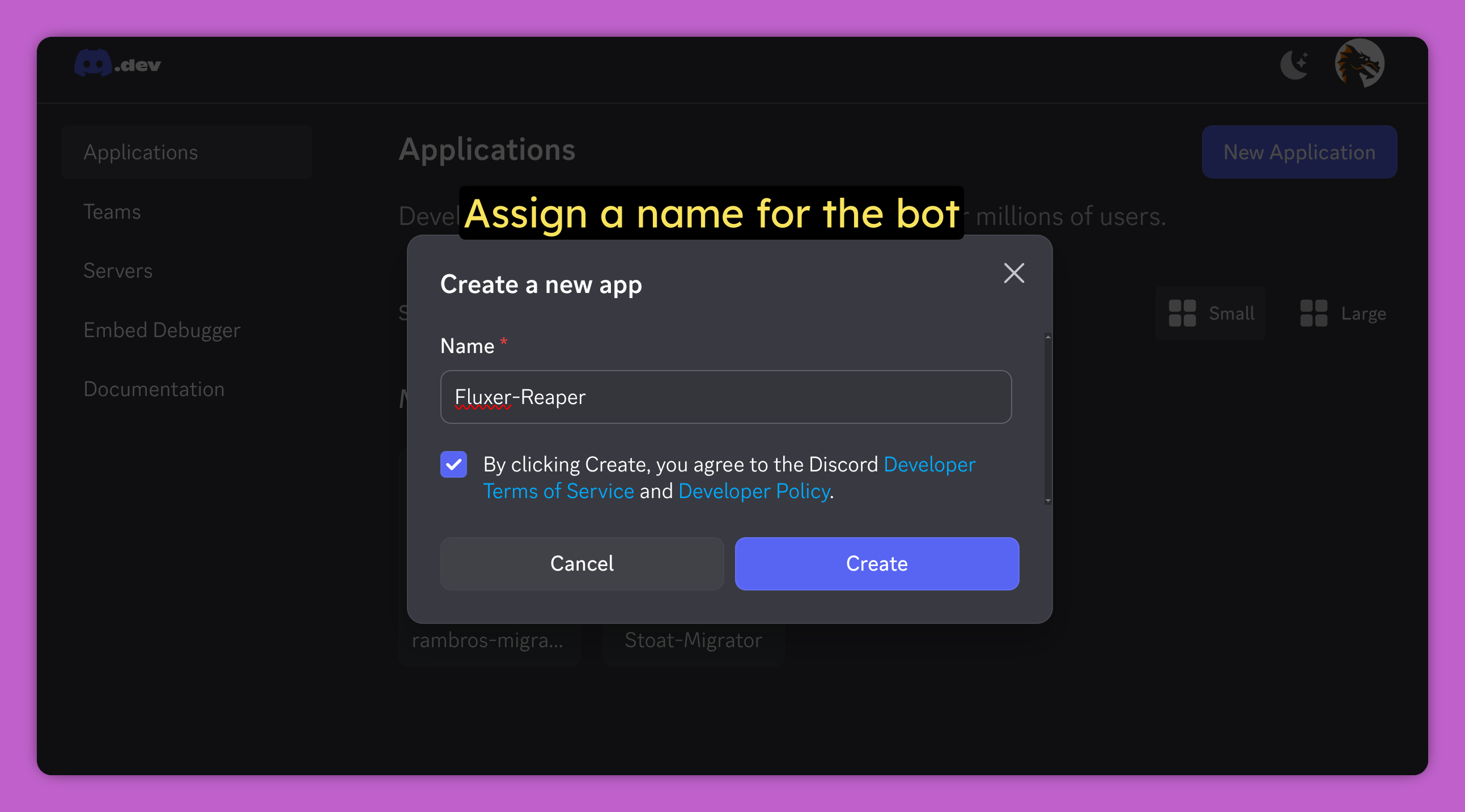
Go to https://discord.com/developers/applications & create New Application
Name your bot
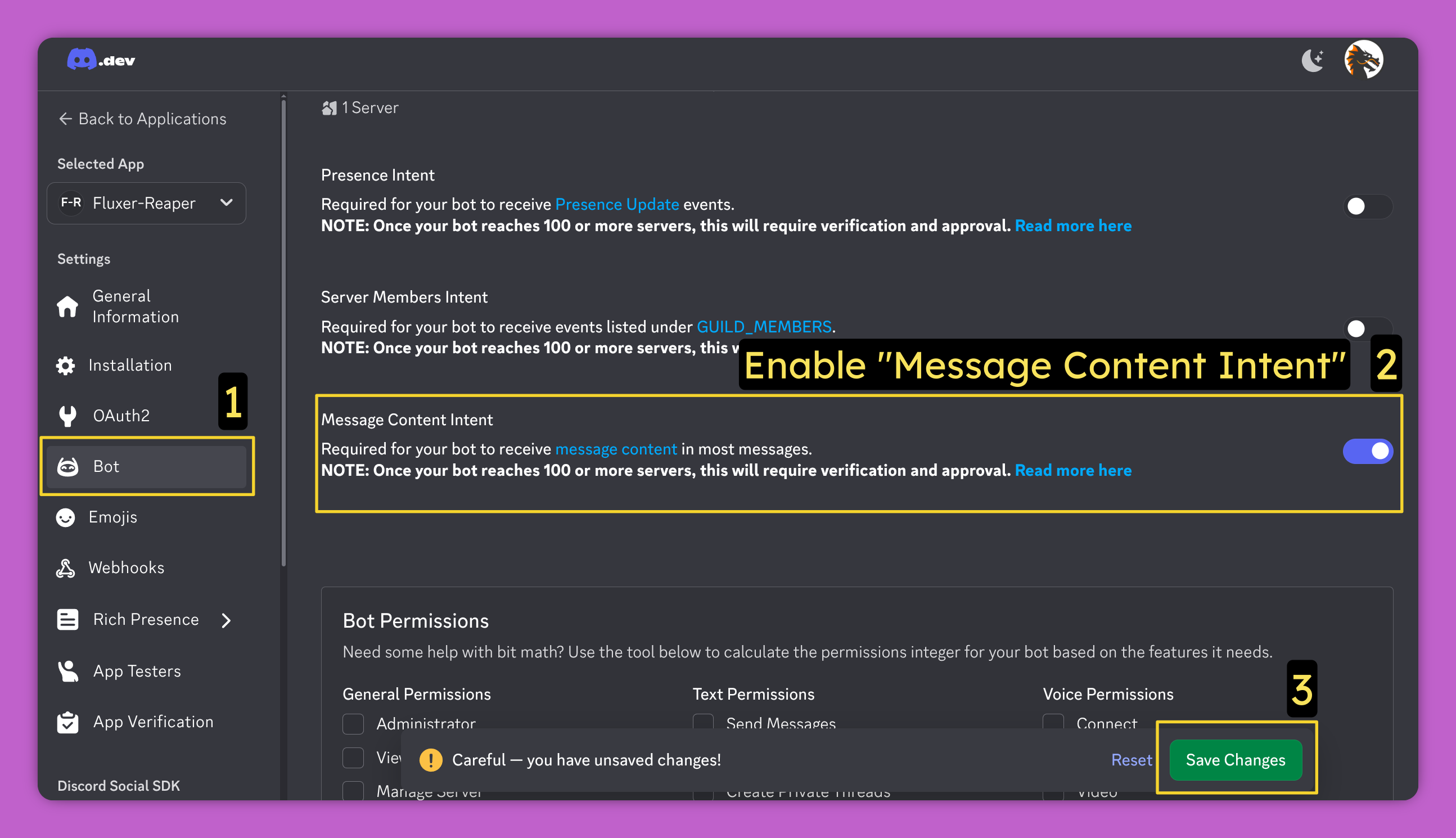
In the bot Settings, enable Message Content Intent
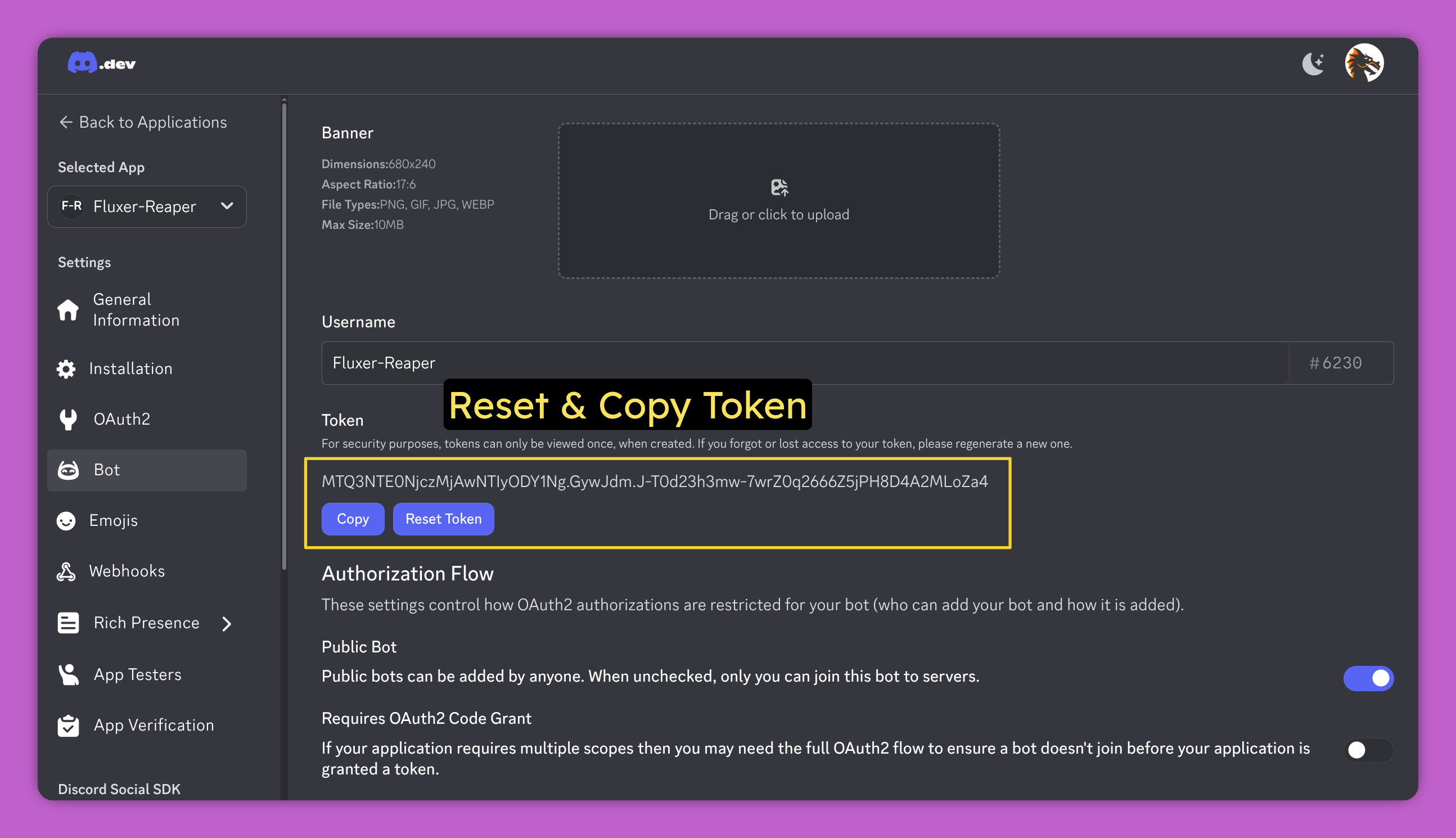
Regenerate & copy the Bot Token. Save it somewhere safe, you will need it later for the tool
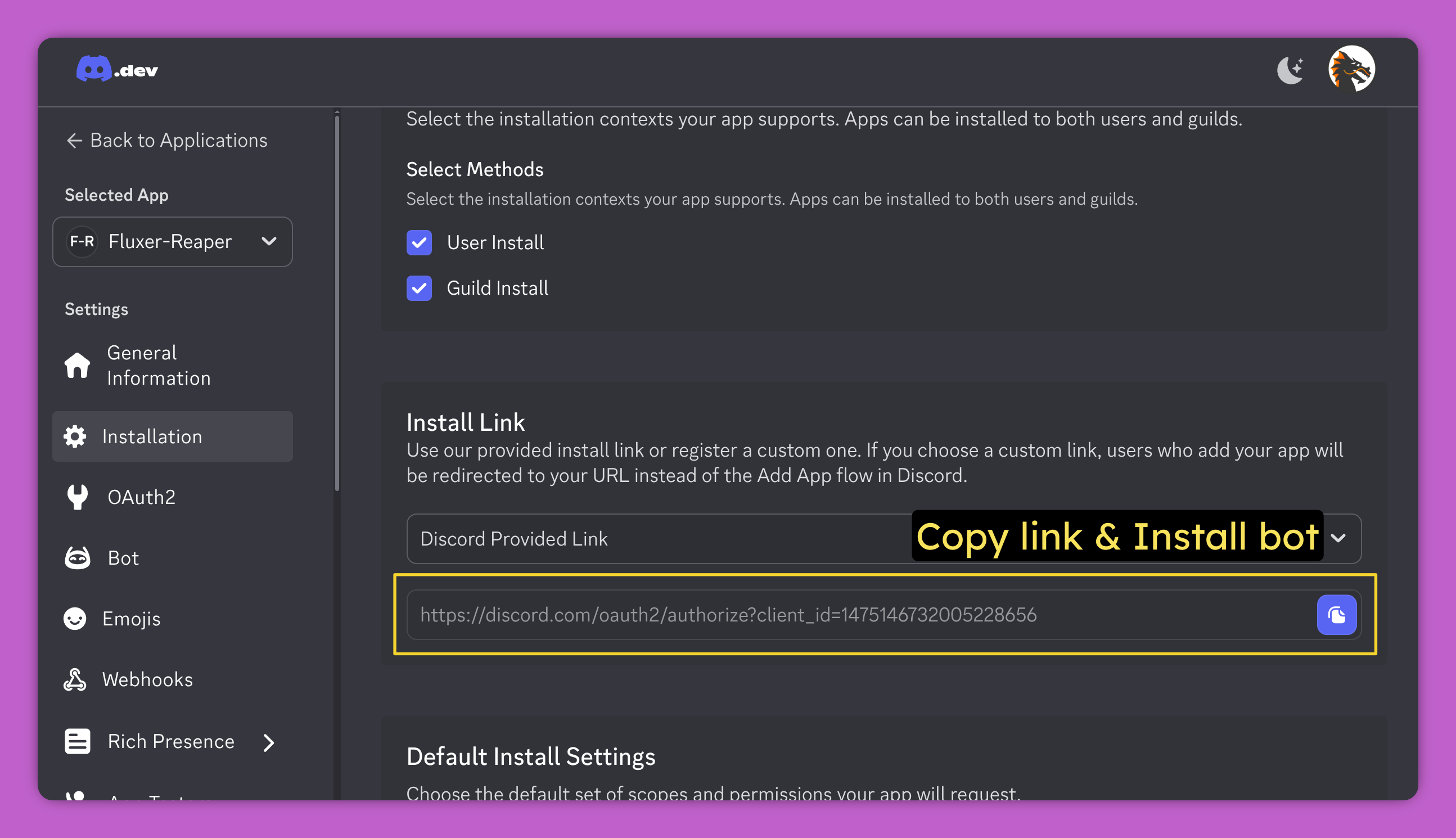
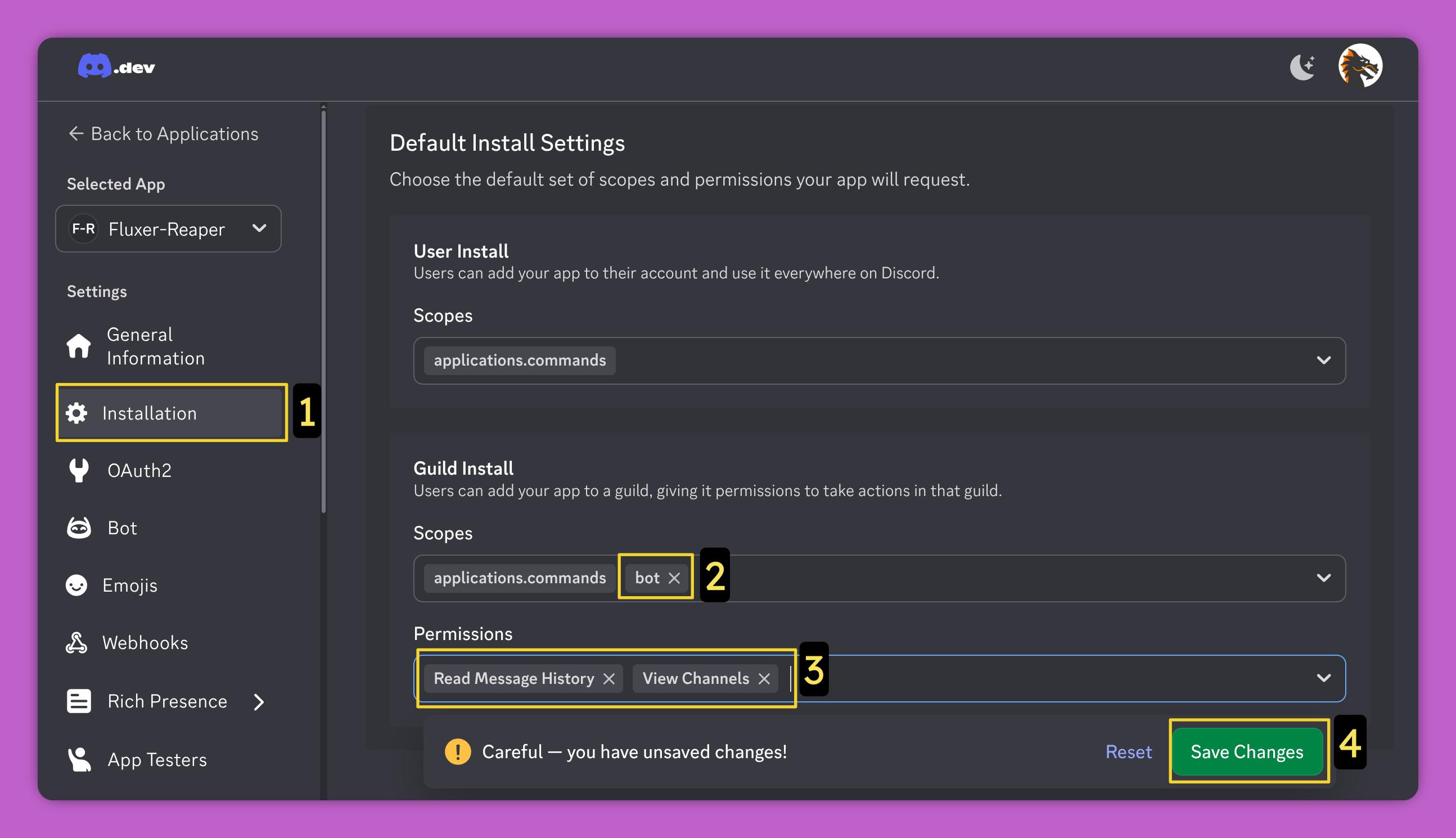
Under Installation section, enable these:
- Scopes: bot
- Permissions: Read Message History , View Channels
Finally open the Install link and add the bot to your Discord server