| .github/workflows | ||
| images | ||
| src | ||
| .gitignore | ||
| build.sh | ||
| fluxer-reaper-icon.png | ||
| fluxer-reaper.py | ||
| fluxer-reaper.spec | ||
| fluxer.config.example.yaml | ||
| launch-reaper-LINUX.sh | ||
| launch-reaper-MAC.sh | ||
| launch-reaper-WIN.bat | ||
| README.md | ||
| requirements.txt | ||
| stoat.config.example.yaml | ||


Fluxer Reaper
Fluxer Reaper is a simple tool to help you move an entire Discord server over to a Fluxer community. It handles channels, roles, emojis, and even your message history.
Features
1. Clone Server Template
- Structure Sync: Automatically creates all your Discord categories and channels in Fluxer.
- Property Migration: Copies channel topics, NSFW status, and slowmode settings.
- Deduplication: Reads Fluxer for existing channels to prevent duplicates.
- Category Linking: Ensures channels are automatically placed within their correct categories.
2. Copy Roles & Permissions
- Role Migration: Copies roles, colors, and basic permissions.
- Permission Sync: Mirrors category and channel-specific role overwrites.
3. Copy Emojis & Stickers
- Asset Migration: Downloads and uploads custom emojis and stickers.
- Flexible Sync: Options to sync emojis only, stickers only, or both.
4. Sync Server Identity
- Metadata Sync: Syncs your server name, icon, and banner.
- Component Selection: Options to sync only specific components.
5. Migrate Message History
- Masquerade User: Uses webhooks to mirror original user avatars and nicknames for a seamless transition.
- Contextual Pairing: Easily map Discord channels to their Fluxer counterparts.
- Flexible Start Points: Start from the oldest message, a specific custom message ID/link, or continue from where you left off.
- Rich History: Migrates message content, author markers, and attachments.
- Thread Support: Handles threads with dedicated markers in the target channel.
6. Configuration & Validation
- Real-time Validation: Audits bot tokens and IDs for validity.
- Permission Checks: Checks if bots have the required Intents and Permissions.
7. Danger Zone
- Wipe Options: Irreversibly delete channels, roles, or assets to clear a community.
- Permission Reset: Batch-wipe all channel permission overwrites.
Notes:
- The Discord bot has read-only access to the source server. Hence no changes will be made to the source server.
- Currently Fluxer is unstable probably due to high traffic, migrating servers now will only add to that problem. Only use this for testing purposes for now. Check status here
Bot Setup
1) Fluxer Bot
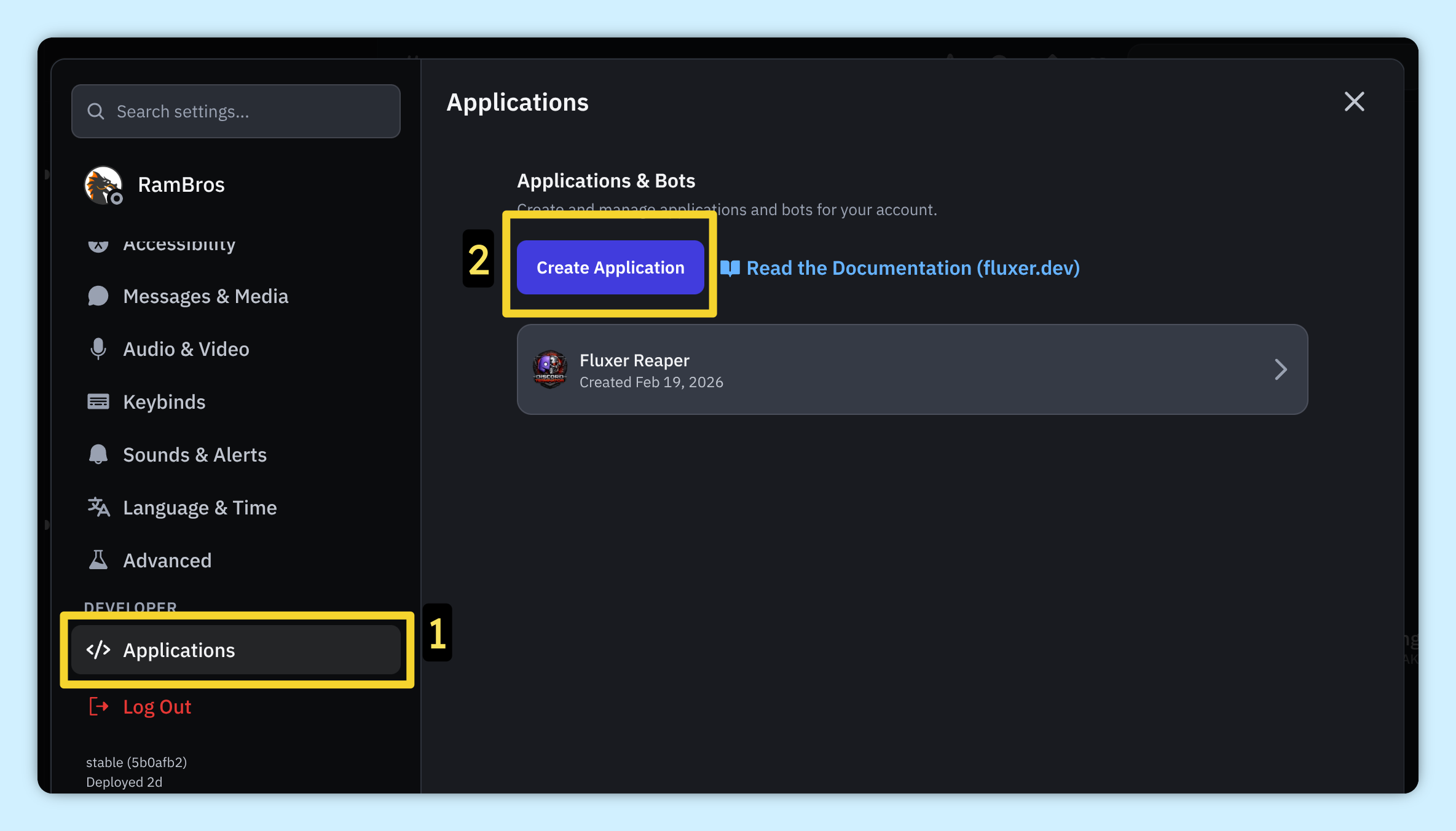
Go to your user settings in Fluxer (Ctrl + ,) and Create Application
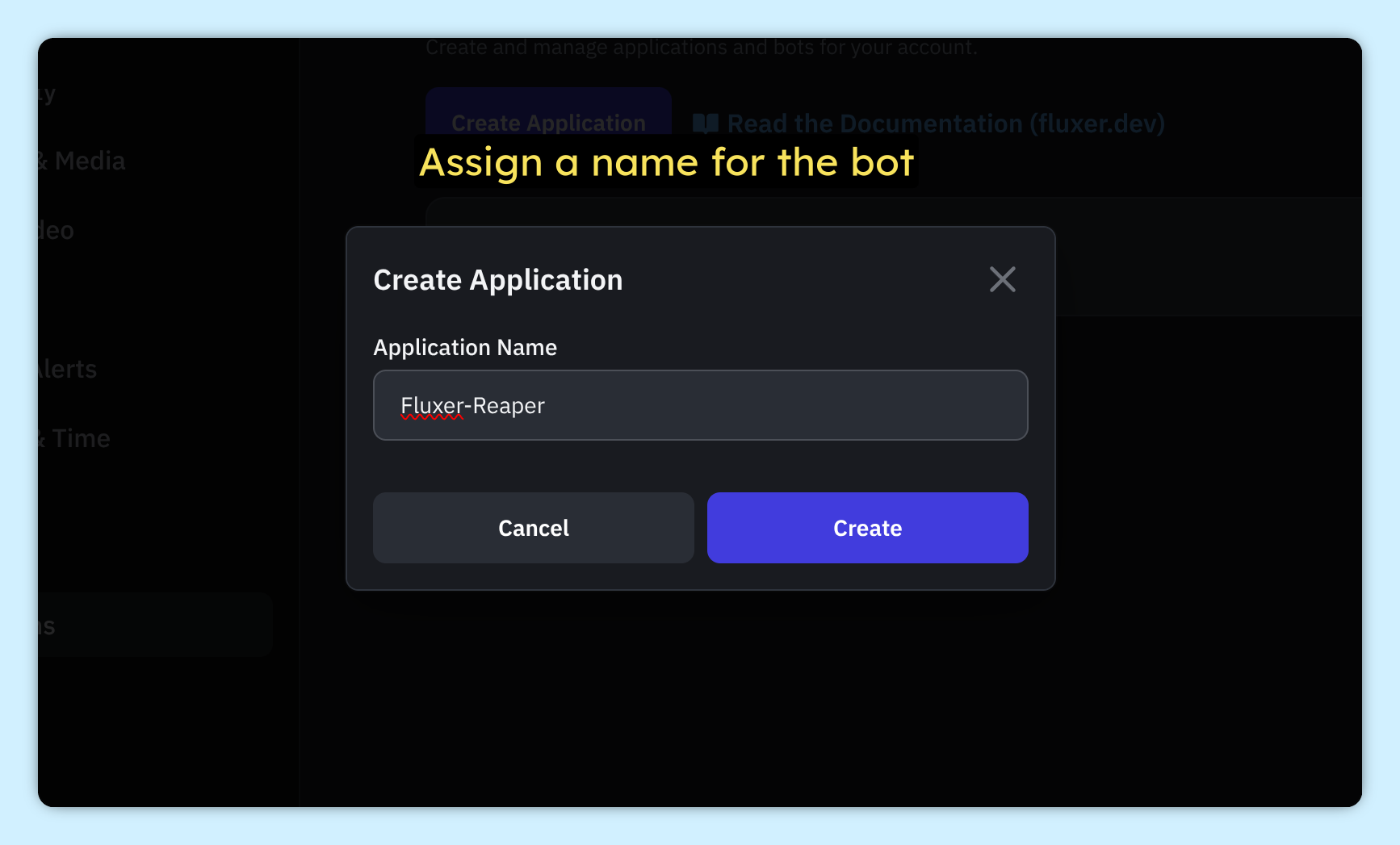
Name your bot
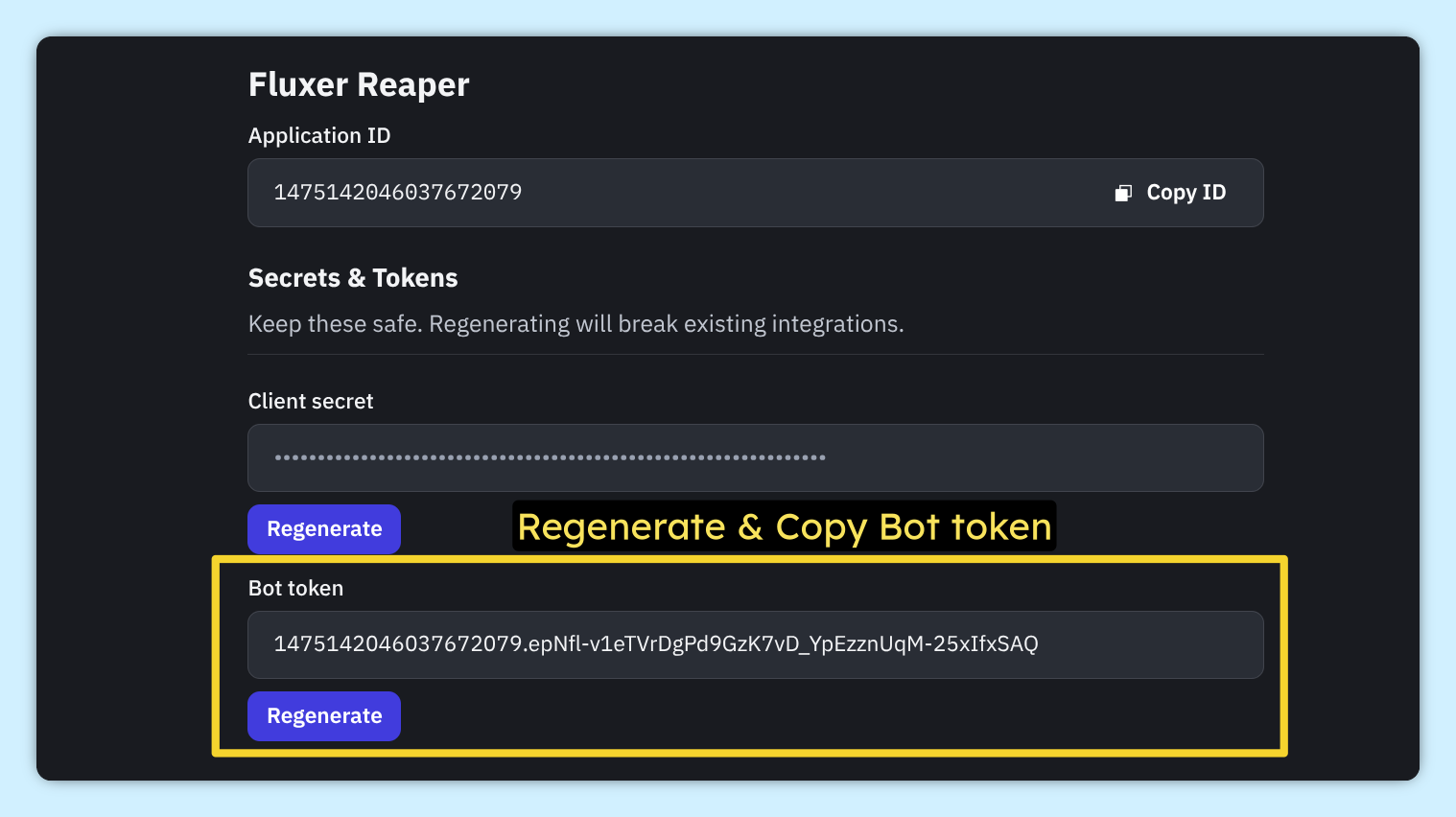
Regenerate & copy the Bot Token. Save it somewhere safe, you will need it later for the tool
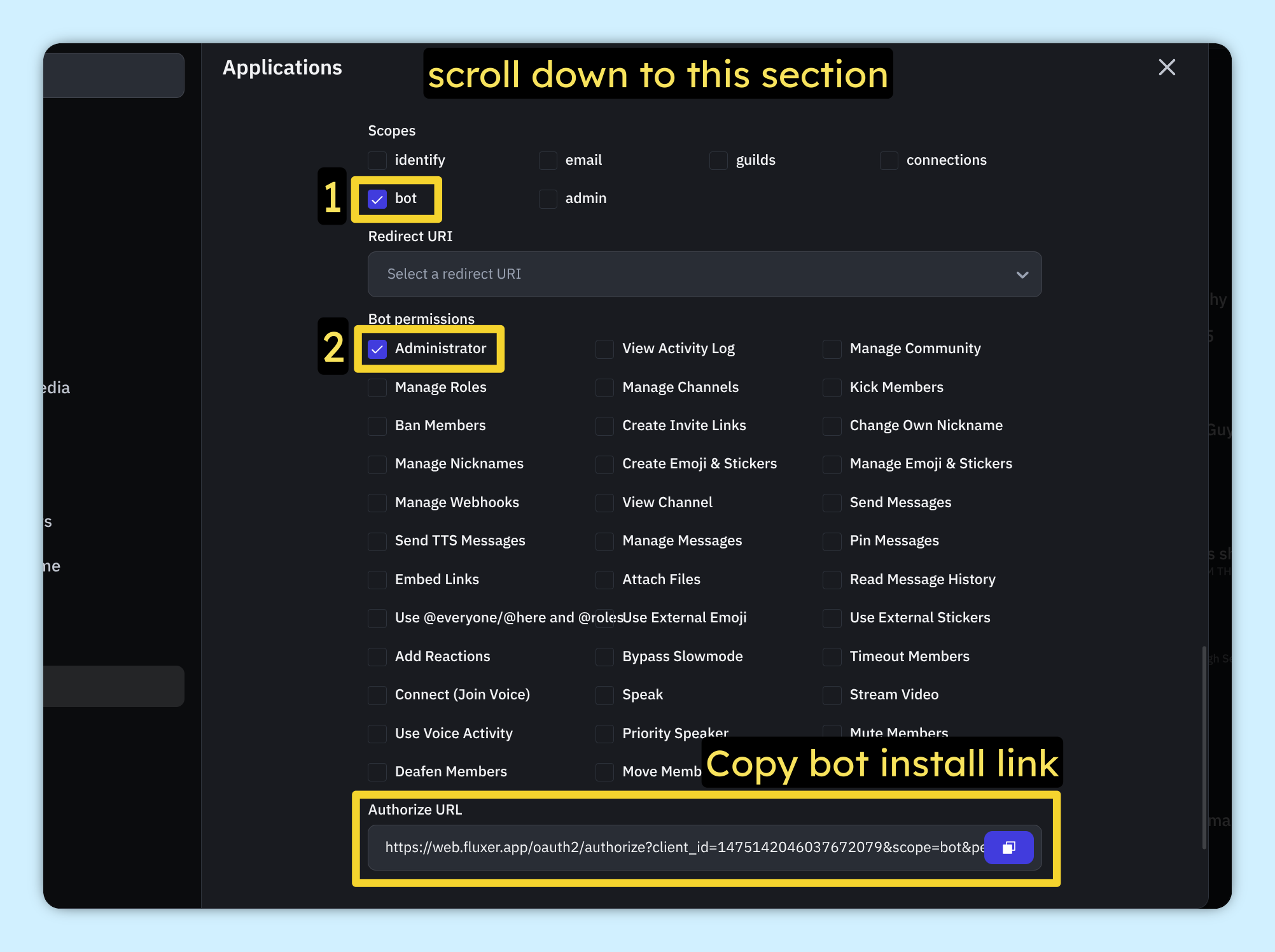
Scroll down to Scopes and select bot. Enable Administrator under Bot Permissions
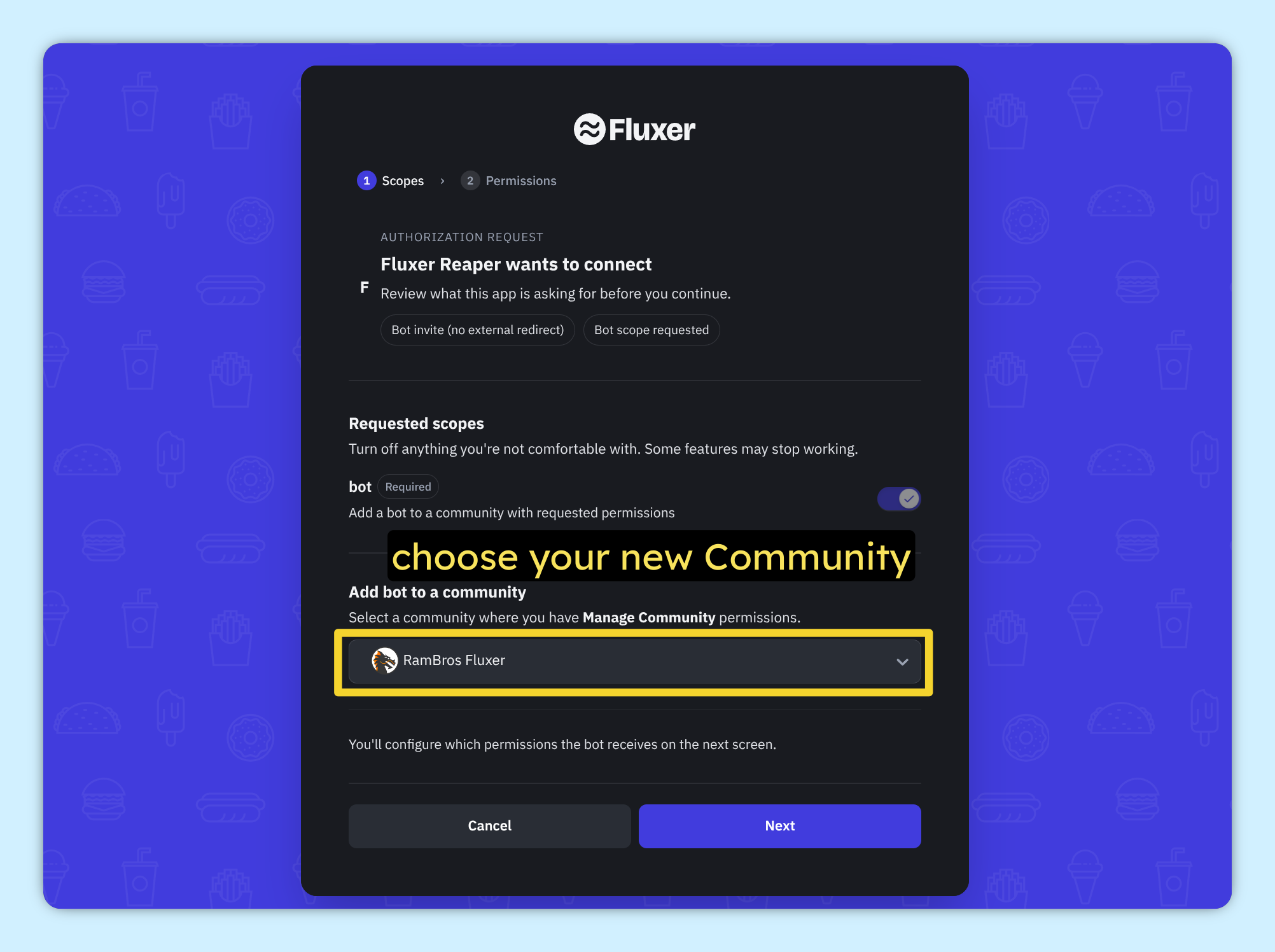
Choose your Fluxer Community (Preferably create and use a new one)
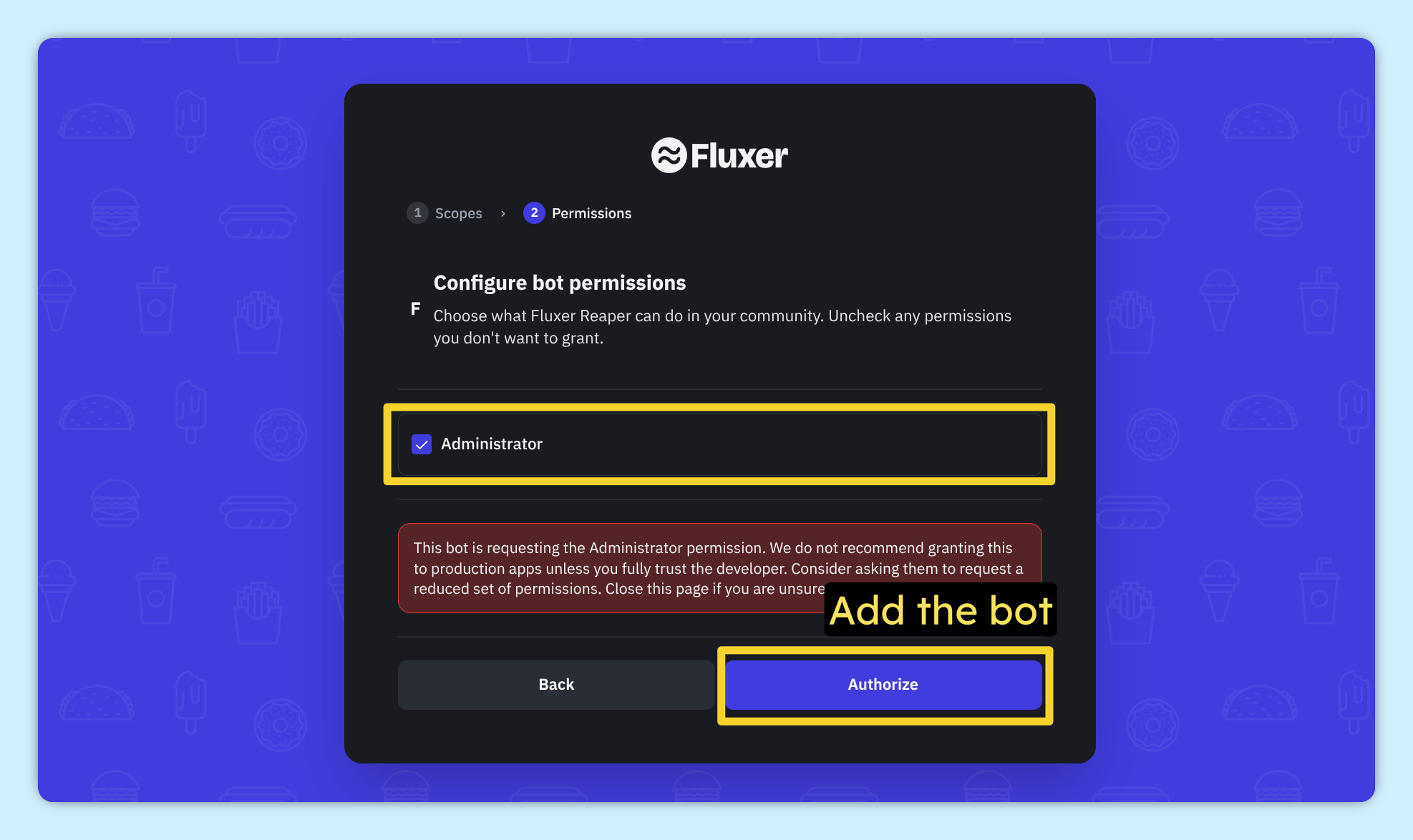
Authorize & Add the bot to your community
2) Discord Bot
Go to https://discord.com/developers/applications & create New Application
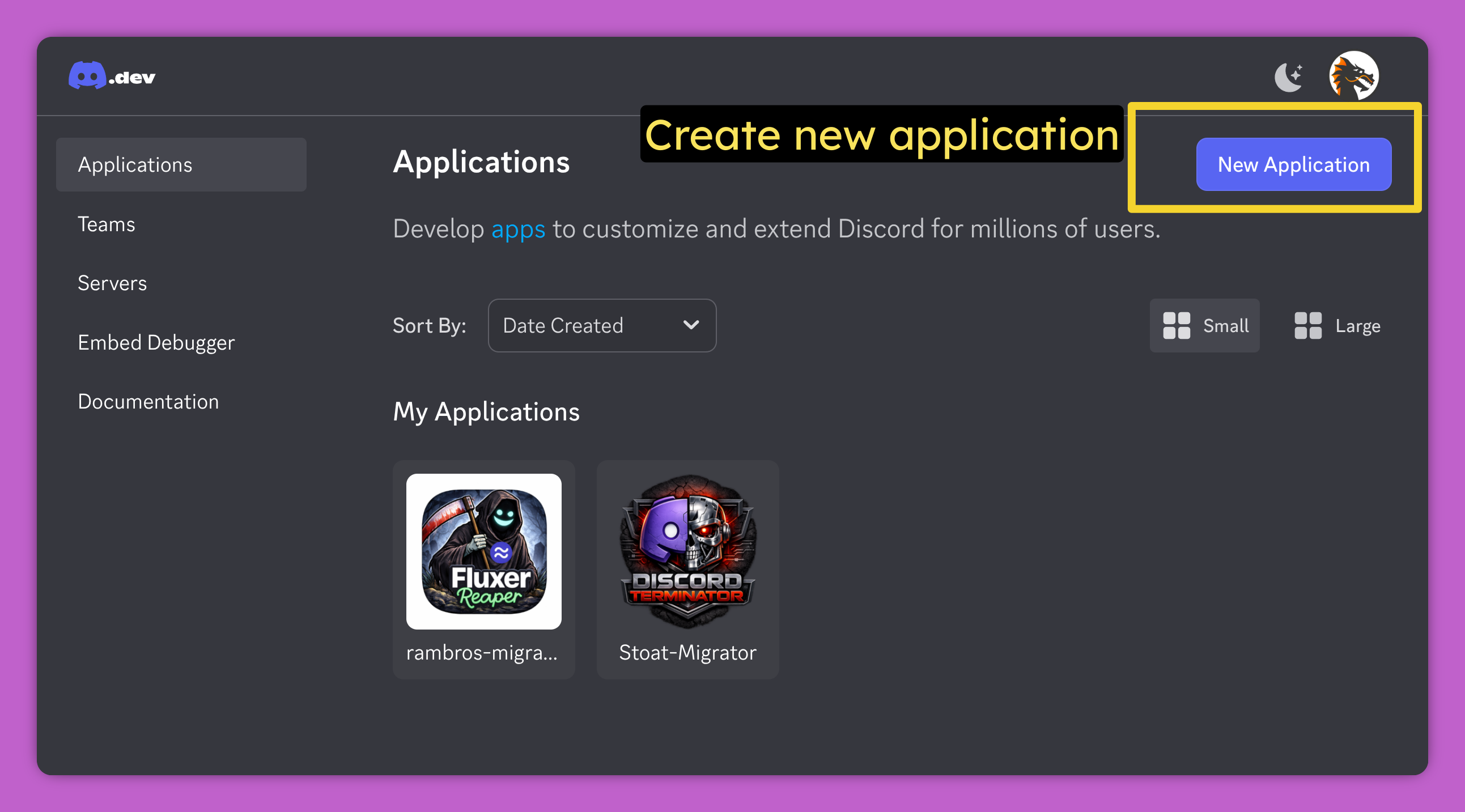
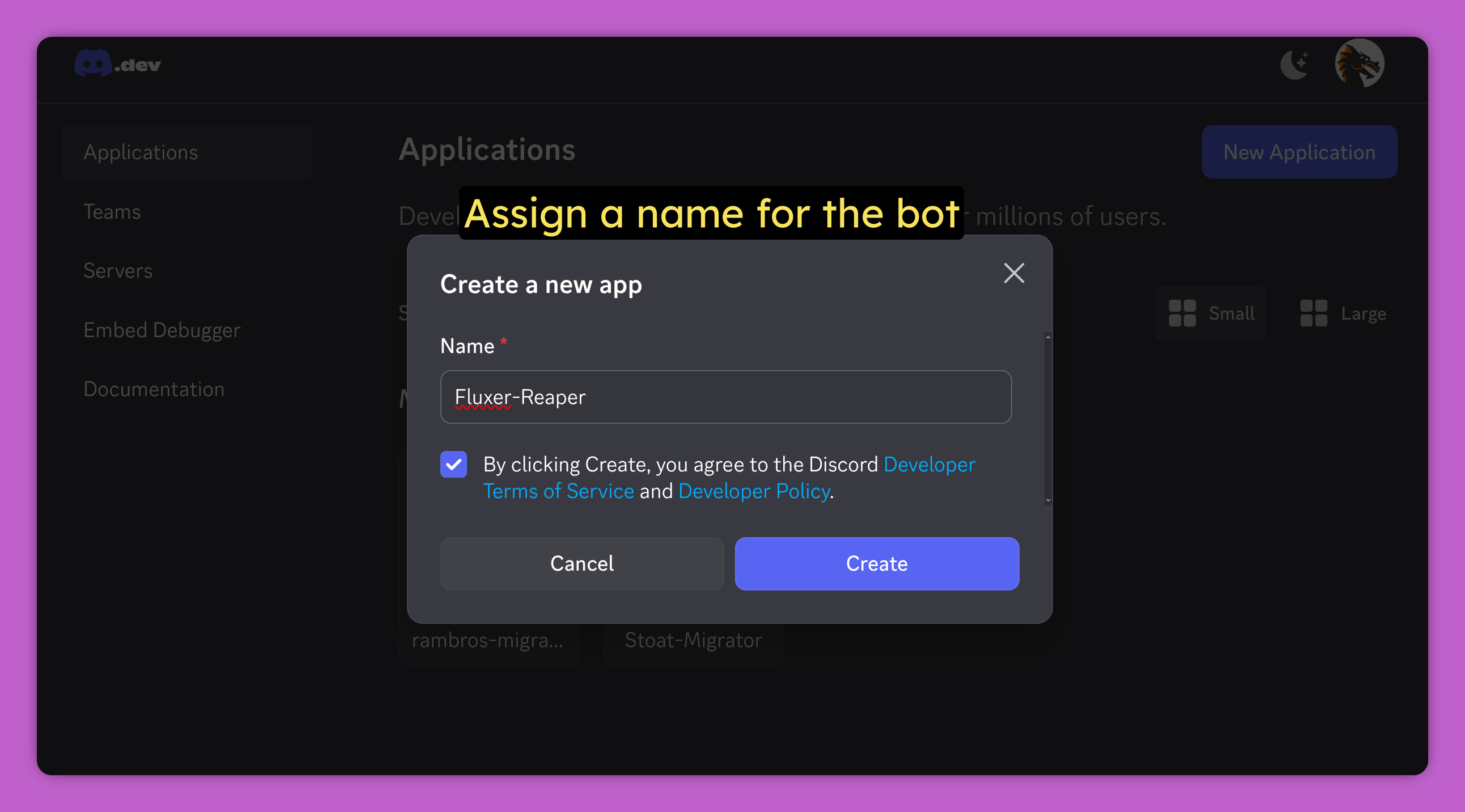
Name your bot
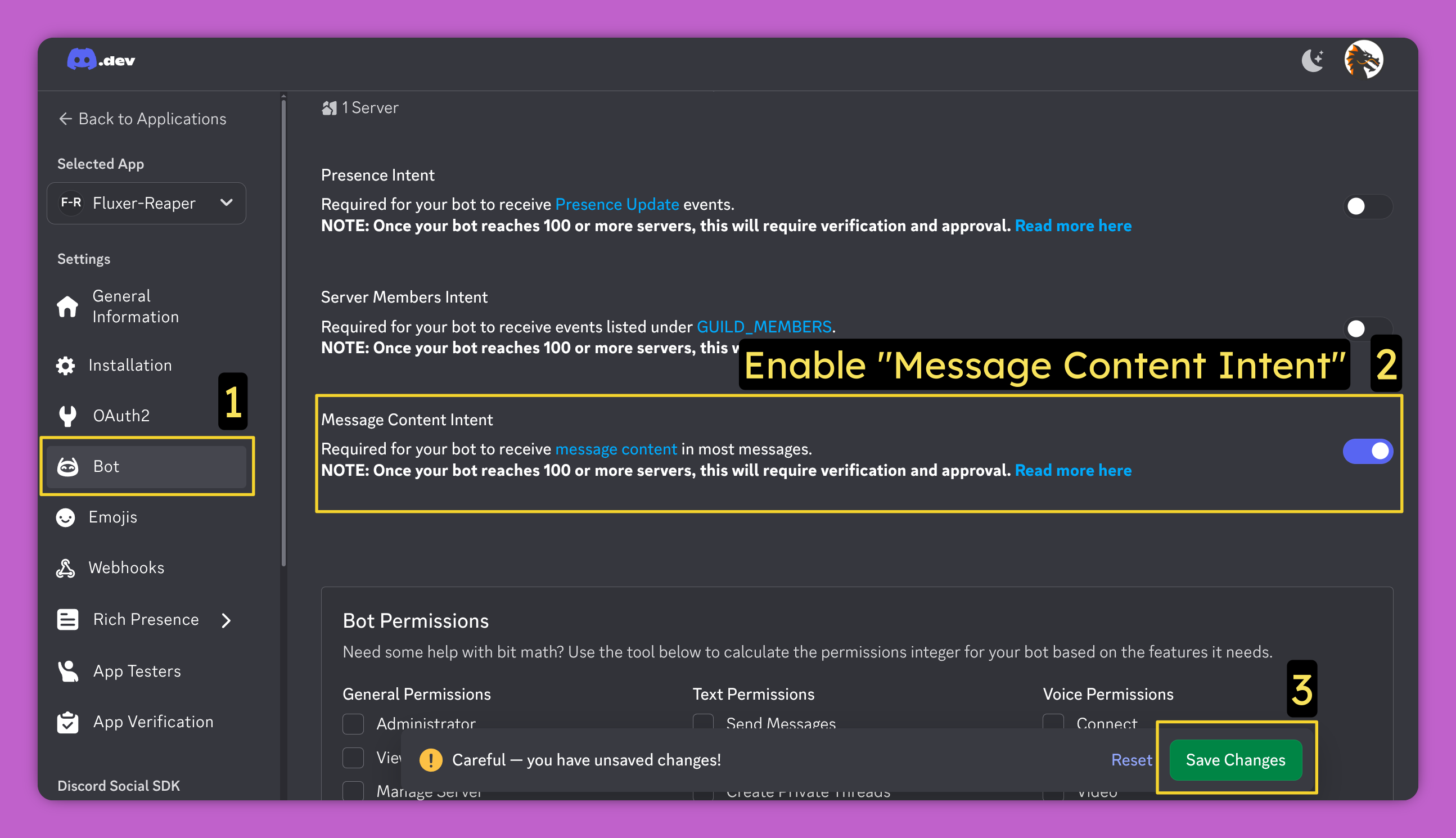
In the bot Settings, enable Message Content Intent
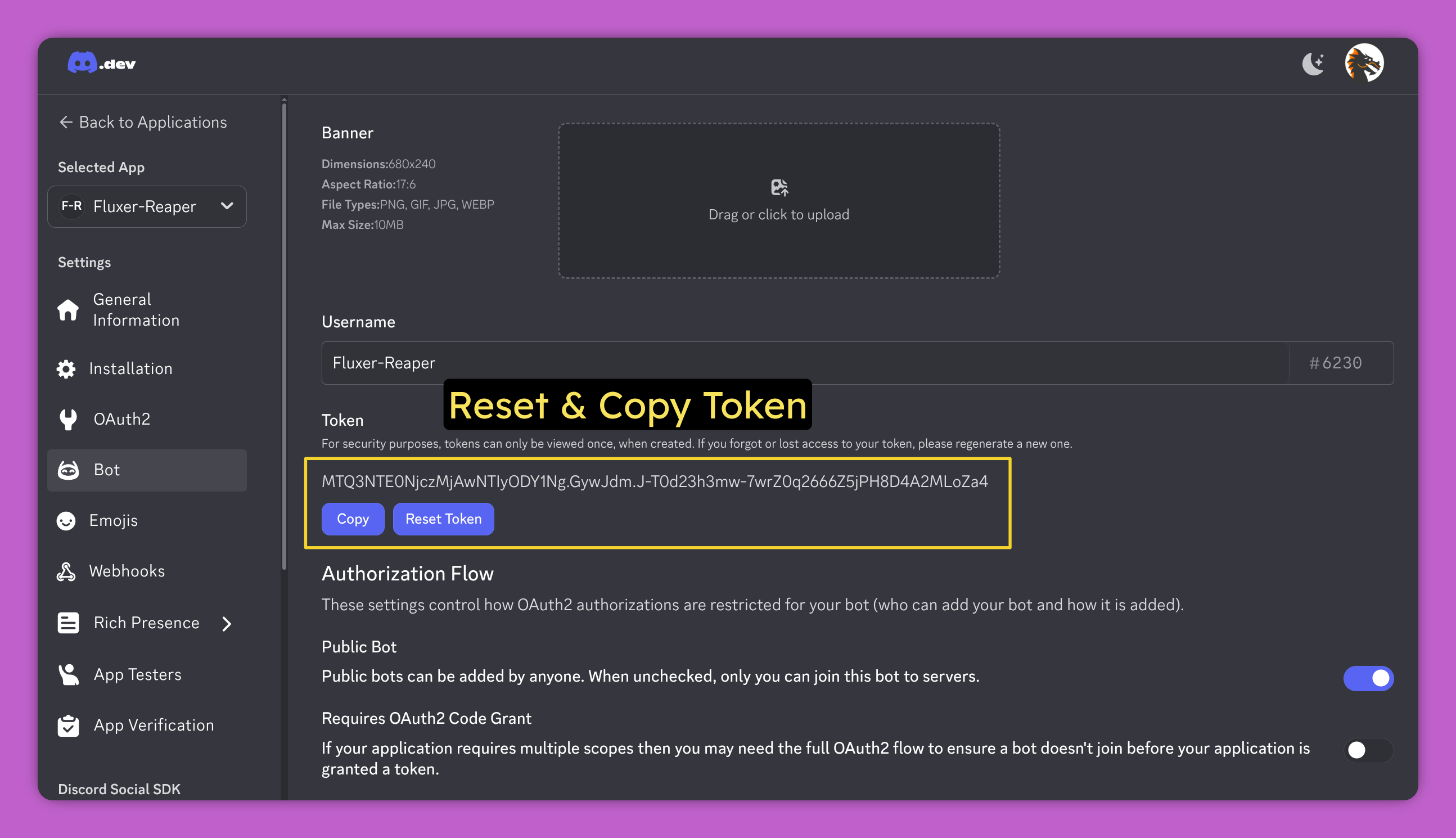
Regenerate & copy the Bot Token. Save it somewhere safe, you will need it later for the tool
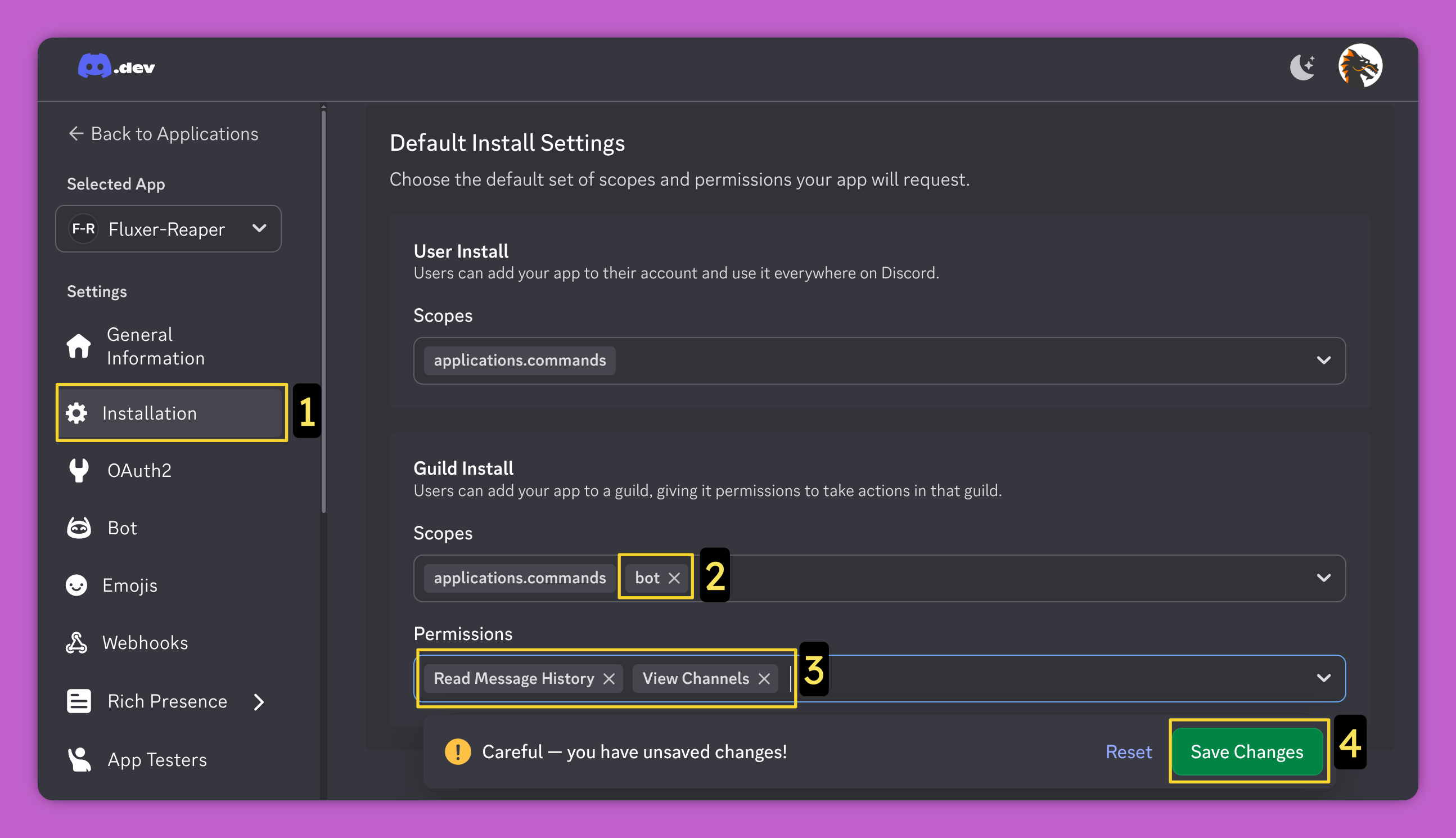
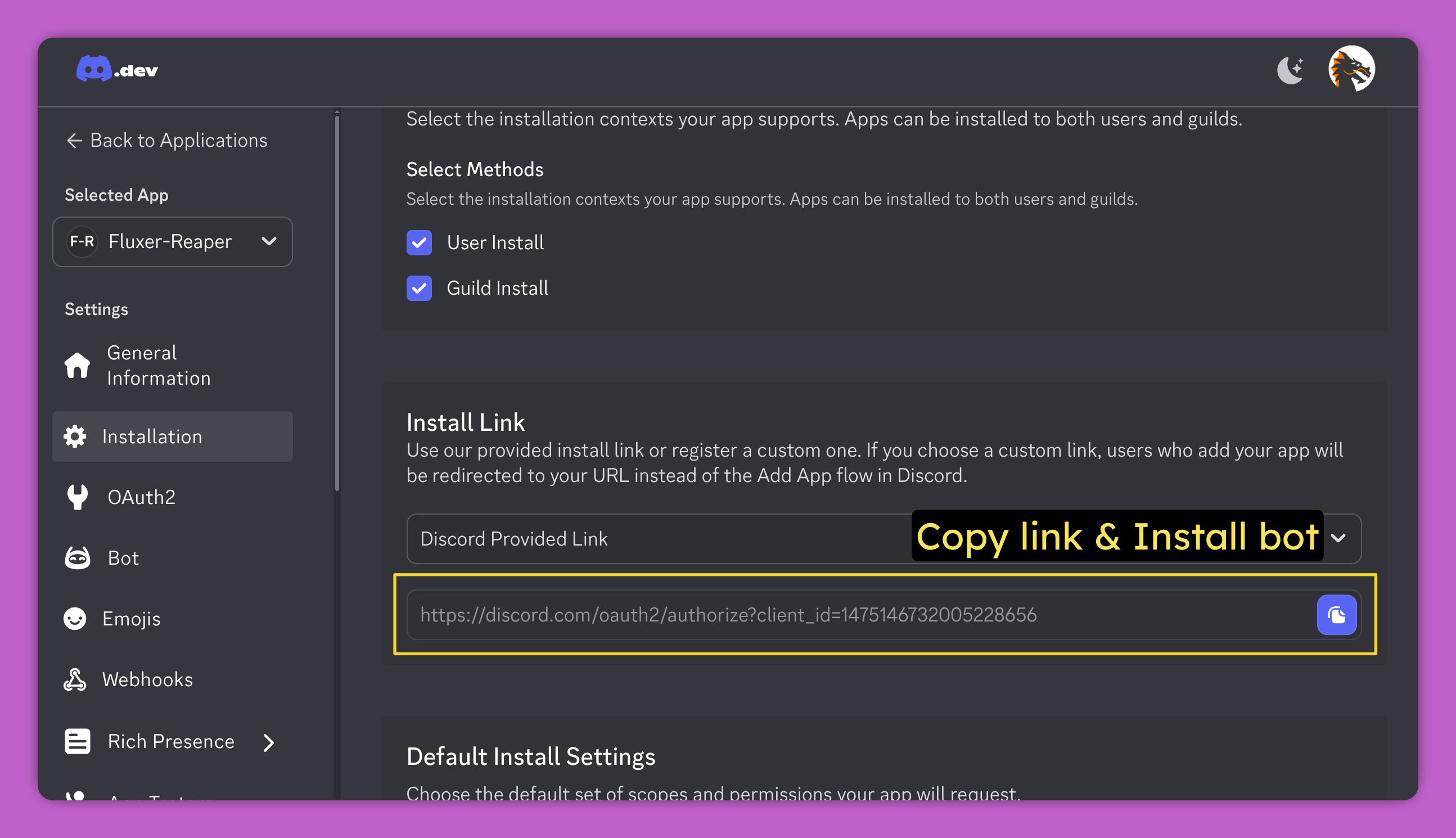
Under Installation section, enable these:
- Scopes: bot
- Permissions: Read Message History , View Channels
Finally open the Install link and add the bot to your Discord server
Getting Started
Option 1: Using Pre-built Binaries (Easiest)
- Download: Download the latest executable from the Releases page & unzip it.
- Run: Simply run the downloaded file to start the tool. No Python installation is required.
- Linux: Run the fluxer-reaper file (or
./fluxer-reaperin terminal). - Windows: Run the fluxer-reaper.exe file.
- Linux: Run the fluxer-reaper file (or
Option 2: Running from Source
- Clone: Clone the repository to your local machine:
git clone https://github.com/rambros3d/fluxer-reaper.git cd fluxer-reaper - Launch: Run the appropriate launcher script for your OS. It will automatically create a virtual environment and install dependencies:
- Linux:
./launch-reaper-LINUX.sh - MacOS:
./launch-reaper-MAC.sh - Windows: Double-click
launch-reaper-WIN.bat
- Linux:
Documentation
Detailed info about the code can be found at https://deepwiki.com/rambros3d/fluxer-reaper
Vibe Code Notice
- Code is provided as is; This tool was developed with AI.
- Take it, use it, modify it, feel free to do whatever you wish.